What can Cinch Audio Recorder record?
Cinch Audio Recorder can capture any audio playing on your computer, including Spotify, Apple Music, YouTube Music, internet radio, podcasts, and other streaming services.
 Cinch Audio Recorder Ultimate
Turn Streaming into Owning
Cinch Audio Recorder captures any audio playing on your computer - from Spotify, Apple Music, YouTube Music, or any streaming service. No login required. No account ban risk. Just click Record, play your music, and Cinch automatically splits tracks, identifies songs, and adds album art and lyrics. Works with Windows 10/11 and macOS 13.5+.
The most powerful audio recorder for music lovers
Records at 24bit/48kHz with crystal-clear audio. Export in any format you need.
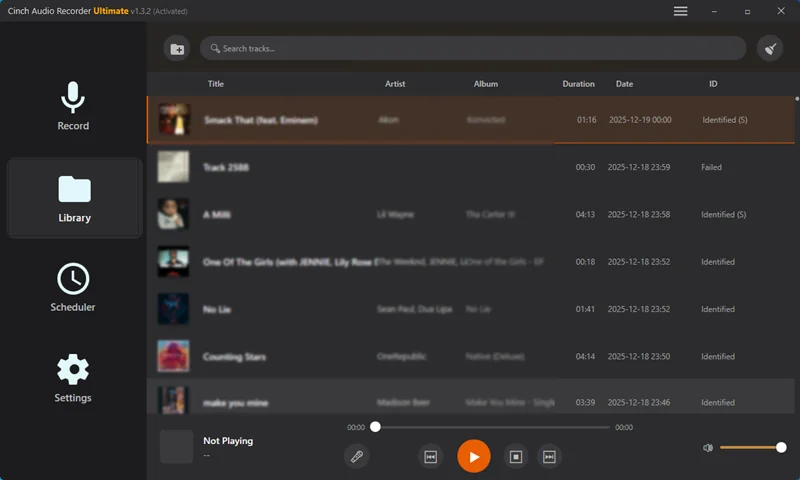
Auto-detects songs, adds tags, fetches album art and lyrics - even fixes your existing MP3s.
Record from any streaming service or PC audio source. No limitations.
Record from any streaming platform or PC audio source




Three simple steps to build your offline music library
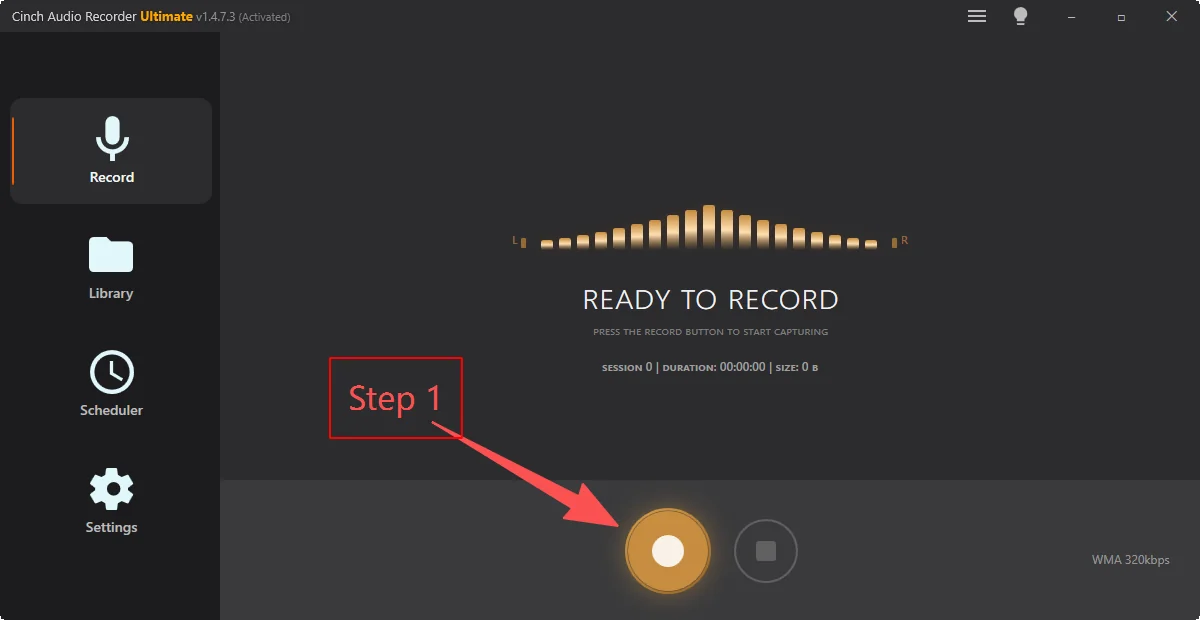
Launch Cinch Audio Recorder and click the Record button. Play your favorite music on Spotify, Apple Music, YouTube Music, or any streaming service.
Cinch automatically splits songs, identifies metadata (artist, album, title), fetches cover art and lyrics, and filters out ads - all while recording.
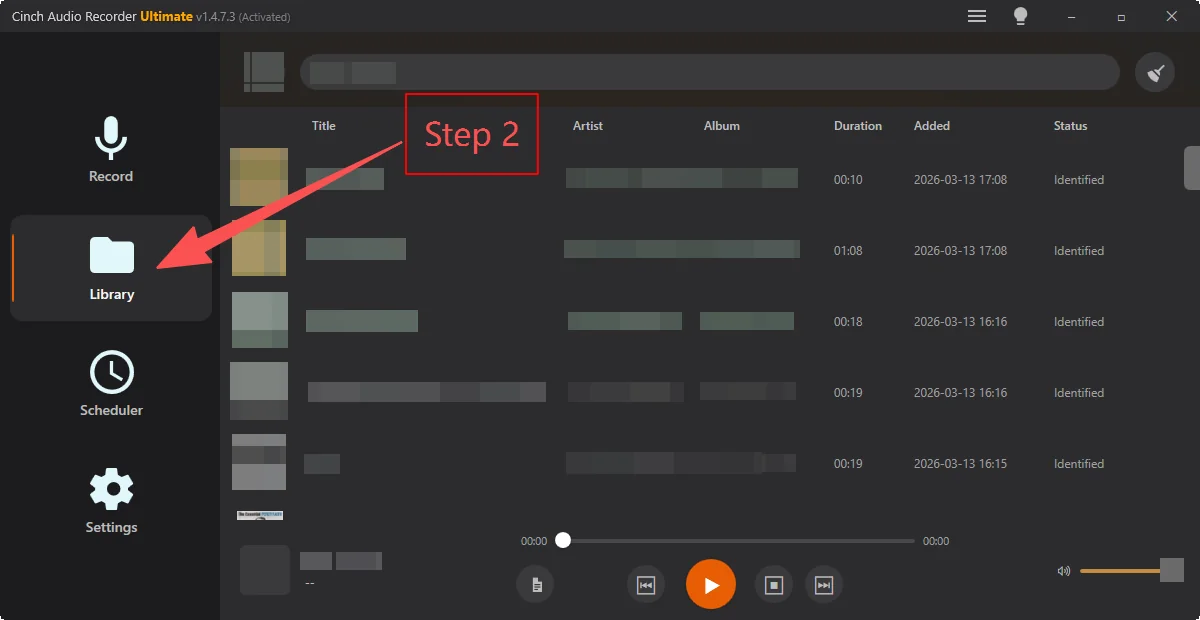
Choose your preferred format - MP3 for compatibility, or lossless WAV/FLAC/ALAC for audiophile quality. Your music library is ready to enjoy offline, forever.
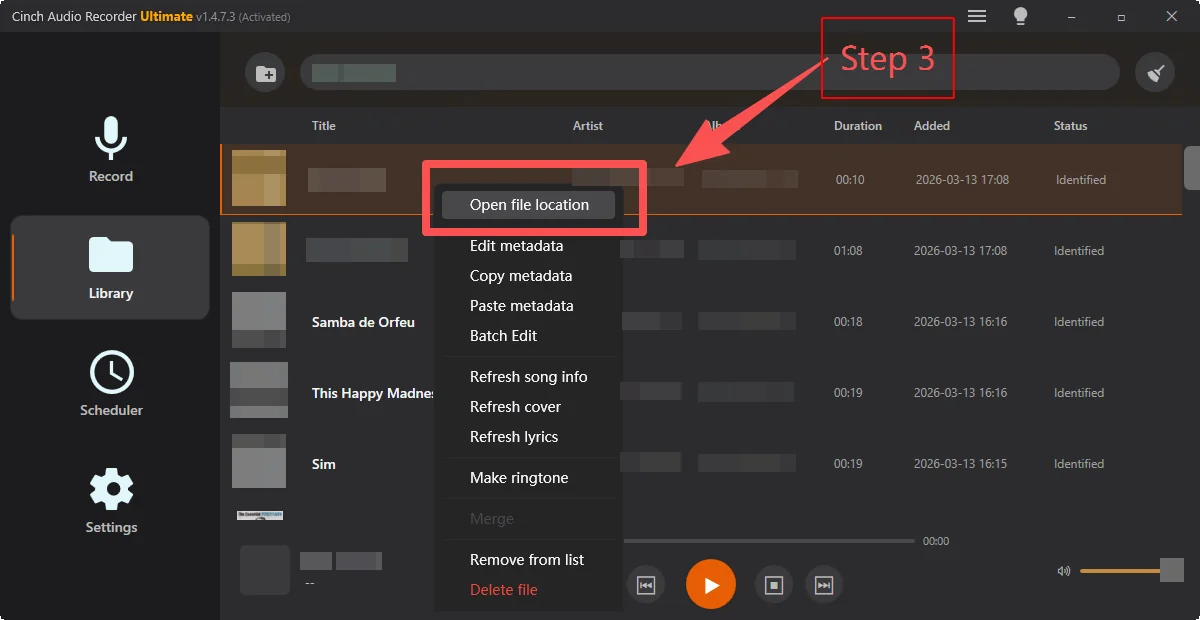
Trusted by music lovers worldwide
"This software is amazing! I can easily save all my playlists with perfect quality and automatic tag recognition. The lyrics feature is a great bonus. Highly recommend to all music lovers!"
"Clean interface, simple operation. The silent recording feature is my favorite - works great in the office without disturbing colleagues. The ad filter saves so much time!"
"Tried many similar tools, Cinch is the most stable. Auto tag recognition accuracy is impressive, and the batch metadata editor saves tons of organization time. Would love to see Linux support."
Minimum system requirements to run Cinch Audio Recorder
Quick answers about recording streaming audio, free-trial limits, tagging, and system support.
Cinch Audio Recorder can capture any audio playing on your computer, including Spotify, Apple Music, YouTube Music, internet radio, podcasts, and other streaming services.
Yes. Cinch can automatically identify tracks and save song title, artist, album, cover art, and lyrics when that information is available.
Yes. The free trial lets you record up to 9 songs so you can test the workflow before purchasing a lifetime license.
Cinch Audio Recorder supports Windows 10, Windows 11, and macOS 13.5 or later.
Start building your offline music library today. Try free (9 songs), then unlock unlimited recording with a lifetime license.