Quick Summary
Deemix stopped working. Compare working alternatives for Deezer downloads—free CLI tools, paid converters, and affordable recording options.
If you landed here, you’re probably one of the many former Deemix users watching your favorite tool slowly die. Maybe you’re seeing “track not on server” errors, or your ARL token stopped working again.
Free, unlimited FLAC downloads from Deemix aren’t coming back. What remains are workarounds with different trade-offs—some cost money, others demand technical patience, and a few ask you to just wait longer.
Below is what actually works in 2026, pieced together from community reports and tool documentation. Every option has strings attached.
What Happened to Deemix?
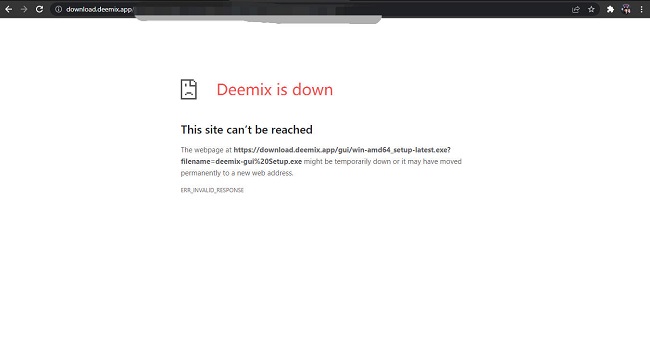
Deemix didn’t stop working overnight—it was a slow decline that started in 2022 when the original developers announced they would no longer update ARL tokens. These tokens, extracted from browser cookies, are how Deemix authenticates with Deezer. Without regular updates, the tool became increasingly unreliable.
By 2024-2025, Reddit threads in r/deemix and r/musichoarder were filled with users reporting the same issues. Even with valid tokens, downloads failed with “track not on server” errors. The community consensus is clear: the original Deemix is dead.
A community fork exists at bambanah/deemix on GitHub with commits as recent as January 2026. It’s not a drop-in replacement. Setting it up requires Node.js 24.x, pnpm, or Docker knowledge—not something casual users can manage. Even when set up correctly, ARL tokens still expire and require manual extraction from browser developer tools.
Quick check: Is your Deemix completely dead? If you’re seeing “track not on server” for every track (even ones you downloaded before), your Deemix is likely done. If only some tracks fail, try refreshing your ARL token first—you might get limited functionality back temporarily.
If you’re not comfortable with command-line tools and debugging authentication issues, the fork won’t solve your problem. For most users, it’s time to look elsewhere.
Paid Alternatives for Deezer Downloads
Several paid converters have emerged to fill the Deemix gap. They work by converting streaming audio to local files, and most support FLAC quality. The question is whether the monthly fee makes sense for your usage pattern.
Sidify Deezer Music Converter is one of the more established options. It costs $44.95 per year or $79.95 for lifetime access, and supports MP3, FLAC, WAV, AIFF, and ALAC formats with claimed 10X conversion speed. Trustpilot reviews sit around 4.2-4.3 stars from roughly 1,000 reviews. One catch: the free trial only converts the first minute of each track, which makes it hard to evaluate before paying.

What happens if it doesn’t work? Most paid converters offer a 30-day money-back guarantee. If downloads fail or quality disappoints, request a refund within the window. Keep your receipt.
NoteBurner Deezer Music Converter sits in a similar price range at $44.95/year, with higher tiers if you need multi-platform support. Its Trustpilot rating is slightly higher, around 4.5/5. The multi-platform angle matters if you’re juggling Spotify, Deezer, and other services—one tool for everything instead of switching between different software.

Then there’s Tunelf Deezer Music Converter, the budget option at $14.95/month. But there are caveats. The tool requires the Deezer desktop app running simultaneously—downloads happen in real-time rather than through API access. Users report that while Tunelf claims 5X speed, stable performance often hovers closer to 1X. More concerning: Trustpilot reviews mention Spotify account suspensions after using Tunelf with that platform. It’s unclear how common this is, but the risk is documented.

Reality check on “FLAC” claims: Some tools advertise FLAC support but may transcode from lossy sources. To verify you’re getting real FLAC, check file sizes—true FLAC files are typically 25-40MB per song. If your “FLAC” downloads are only 5-10MB, you’re likely getting upsampled MP3.
At $15-45 per month, you’re paying for GUI accessibility and predictable results. For regular downloads, the subscription adds up quickly. For occasional use, the math rarely justifies ongoing payments.
Recording Tools: A Different Approach
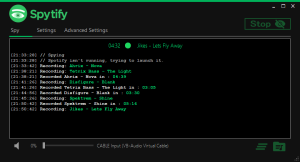
Not all alternatives are converters. Recording tools like Cinch Audio Recorder take a different path: they capture audio in real-time as it plays on your computer.
Cinch costs $35.95 as a one-time payment—significantly cheaper than the $15-45 monthly subscriptions. It records at up to 320kbps MP3 or WAV quality and includes automatic ID3 tagging for metadata on Win and Mac. The tool can record from any audio source on your computer, making it platform-agnostic.
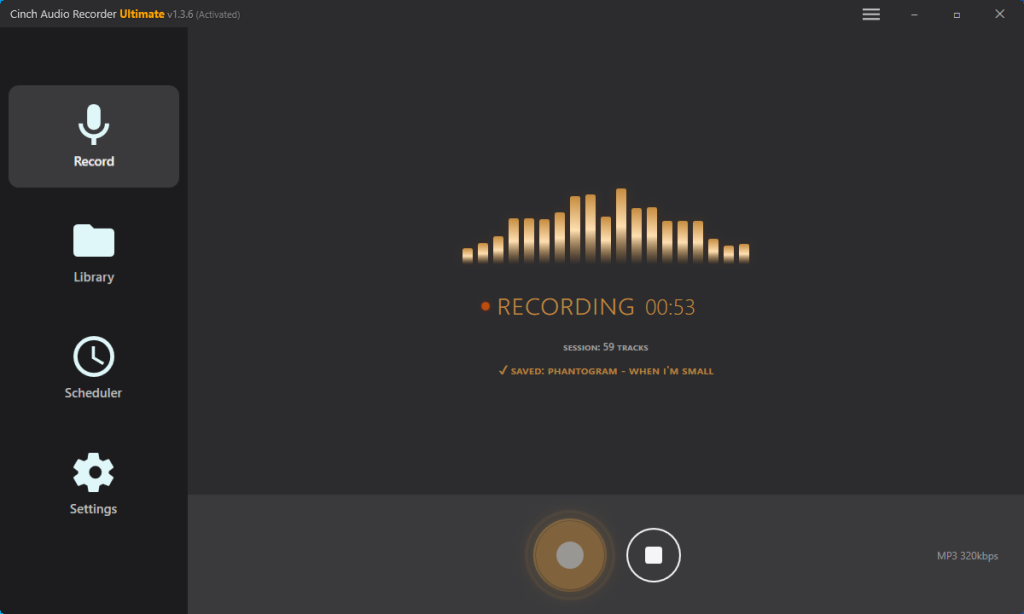
What you need to get started: Just the Cinch software and your regular music player (Spotify, Deezer, etc.) running normally. No API keys, no browser cookie extraction, no command-line setup.
What to expect: A 3-minute song takes 3 minutes to capture. But here’s the thing—it’s 100% automated. Start recording before bed, let your playlist run overnight, and wake up to hundreds of properly tagged tracks waiting in your folder. No babysitting required.
The real advantage: Cinch doesn’t log into any streaming service. It records what plays on your computer, which means zero risk of account flags or suspensions. Your Deezer, Spotify, or whatever-you-use account stays clean.
Best for: Anyone who wants unlimited recording without monthly fees, values account safety, and can let their computer run while they sleep or work.
Free Open-Source Options
Free options exist for technical users (terminal operation)—but they require patience and command-line proficiency.
Streamrip is the most viable free alternative, available on GitHub. It’s completely open-source and supports FLAC downloads from Deezer when you have a HiFi account. The catch: you need Python installed, command-line knowledge, and the ability to extract ARL tokens from your browser.
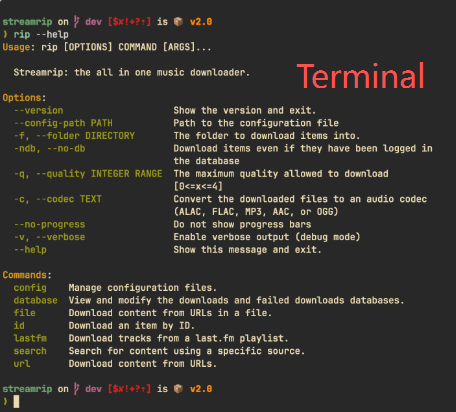
GitHub issues show that even technical users struggle with setup and occasional “Resource not found” errors. The tool depends on Deezer’s API, which means it inherits the same fragility that killed Deemix. When Deezer changes something upstream, Streamrip breaks until maintainers update the code.
OrpheusDL is another open-source project, but it’s described as a complex modular system designed for advanced users. For casual users who just want to download a few songs, it’s overkill—the setup complexity far exceeds the use case.
Free tools require trading money for time and technical effort. If you’re comfortable reading documentation, editing configuration files, and debugging authentication issues, Streamrip can work. If those words sound intimidating, the “free” price tag comes with hidden costs.
What to Avoid
Not everything that claims to be an alternative actually works.
Freezer was once a popular free option, but it’s now considered dead by the community. Even when functional, it only downloads at 128kbps—far below the FLAC quality most Deemix users expect. Don’t waste time on it.
Web-based tools like Lucida and DoubleDouble appear convenient but users report they’re “extremely slow” and show “hundreds of errors” when downloading playlists. One Reddit user described downloading a single song as “a pain in the ass.” Web tools seem attractive for their simplicity, but the reliability isn’t there.
Cracked versions of paid software circulate on various sites, but they come with security risks. Without official updates, cracked versions may contain malware or simply stop working when platforms change their APIs. The risk-to-reward ratio is poor.
Some tools also carry account suspension risk. While not common, users have reported Spotify accounts being suspended after using Tunelf. Any tool that accesses platform APIs in ways that violate terms of service carries this risk—it’s just more documented with some tools than others.
Quick Decision Guide
Need FLAC quality fast? Paid converters like Sidify or NoteBurner get closest to the Deemix experience—$15-45/month for speed and convenience.
Want to avoid subscriptions and account risks? Cinch records from any platform for a $25 one-time payment. Let it run overnight, wake up to a full playlist.
Comfortable with command lines and want free? Streamrip works if you can handle Python setup and ARL token extraction. Expect occasional breakage.
Test any tool with 5-10 songs first. If it works, scale up. If it doesn’t, you haven’t lost much time.