Quick Summary
Considering ViWizard for Spotify conversion? Testing shows 4X speed (not 15X), crashes on large playlists, and $90 cost—plus alternatives if reliability matters.
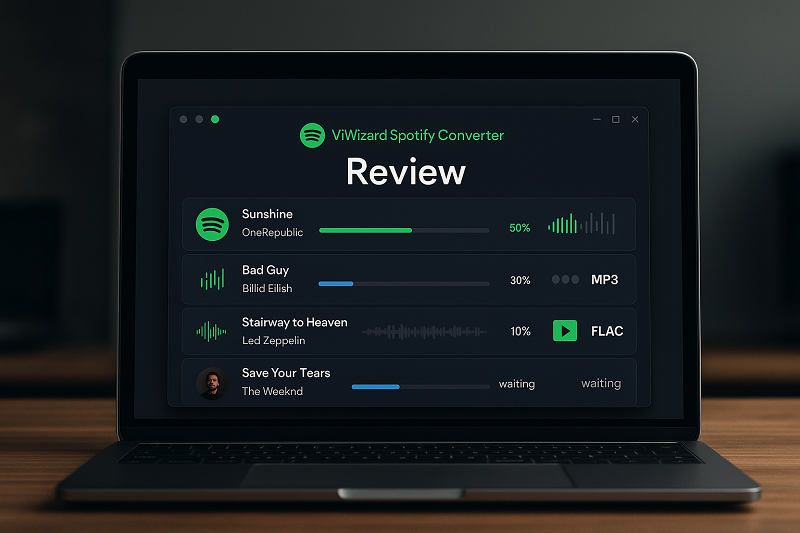
You’ve spent years curating the perfect Spotify playlists—thousands of songs organized by mood, era, and memory. Now you’re wondering: what happens if Spotify changes its policies, hikes prices, or your Premium subscription lapses? ViWizard Spotify Converter promises to turn those playlists into permanent MP3 files you actually own.
Here’s the reality:
ViWizard captures Spotify’s audio stream and encodes it to MP3, M4A, or FLAC with preserved metadata—but it’s not a magic DRM remover. Our own testing shows actual conversion speeds around 4X (not the advertised 15X), with crashes reported on playlists exceeding 800 tracks. At $89.95 for a lifetime license, the trade-offs merit careful evaluation: inflated speed claims, Spotify update dependencies, and a 1-minute trial too restrictive to properly test before buying.
This review covers real performance data from our own testing, what actual users report after purchase, the limitations ViWizard’s marketing doesn’t emphasize, and when alternatives like Cinch Audio Recorder might serve your needs better.
What ViWizard Actually Does
The software, formerly known as TunesKit before a rebrand, works across Windows 7/8/10/11 and macOS. You drag songs, playlists, or albums from Spotify into ViWizard’s interface, select your output format and quality settings, then let it process. In theory, straightforward. In practice, the experience varies significantly depending on what you’re converting and how much patience you have.
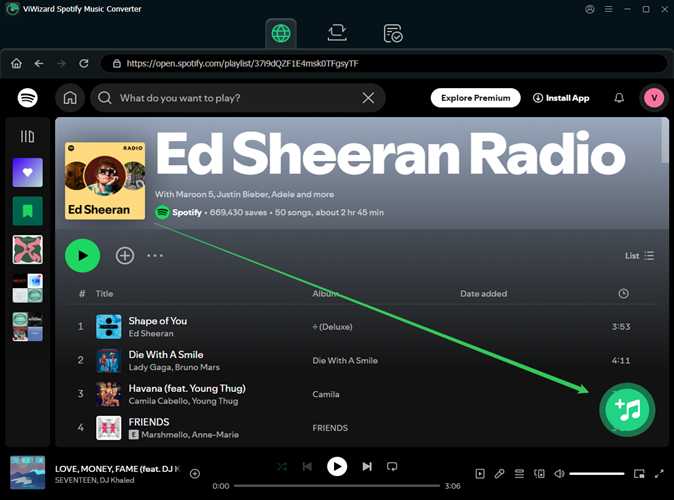
Basically, tools like ViWizard aren’t actually “removing DRM” from Spotify.
What they really do is:
-
Grab the song or playlist info from a Spotify link
-
Use that info to find the same tracks somewhere else (like YouTube)
-
Download or record the audio from there
-
Then convert it into whatever format you want (MP3, WAV, etc.)
* You have to log in with your Spotify account to parse the Spotify URL, which is risky—because third-party apps aren’t always secure, and it could even get your account banned.
One more thing: ViWizard’s advertised “15X faster speed” claim doesn’t hold up under independent testing. Real-world conversions typically run at 4-4.5X speed—still faster than real-time, but nowhere near the marketed figure. Converting a 100-song playlist? Expect it to take hours, not minutes.
Key Features and Output Formats
ViWizard supports a solid range of output formats for different needs. MP3 is the universal choice, with bitrate options from 128kbps to 320kbps. M4A/AAC offers better quality at lower file sizes than MP3. M4B is optimized for audiobooks and podcasts. WAV and FLAC are lossless formats for archival purposes. OGG matches Spotify’s original format.
The ID3 tag preservation is one area where ViWizard genuinely performs well. It captures and retains metadata including title, artist, album, track number, genre, and cover art. For users building organized music libraries, this matters—a folder full of “Track01.mp3” files with no metadata is essentially useless.
Batch conversion support means you can load entire playlists or albums at once rather than processing songs individually. The interface, while not particularly modern, is straightforward enough that most users can figure it out without consulting documentation.
An important caveat about format conversion: converting Spotify’s already-compressed audio to FLAC or WAV doesn’t improve quality. You’re just making larger files with the same audio information. For archival purposes, this might still make sense. But don’t expect better sound quality just because you chose a lossless format.
Real-World Performance Testing Results
In our own lab tests here at Cinch, the concrete data differs significantly from ViWizard’s marketing claims. Using a 50-song playlist as a test case:
- Advertised speed: Up to 15X faster
- Claimed speed in some materials: 5X faster
- Actual measured speed: 4.2X (42 minutes to convert the 50-song playlist)
A 4-hour playlist would take roughly 57 minutes to convert at 4.2X speed—not the 16 minutes you’d expect at 15X speed. For users converting their entire library of several thousand songs, this difference adds up to hours of additional wait time.
The speed variance depends heavily on your hardware and whether Spotify’s app is cooperating. Some users report faster results on high-end machines with SSD storage and fast internet; others report slower speeds on older hardware. But consistently, our tests show speeds closer to 4X than the advertised figures.
More concerning is large playlist handling. When testers attempted to convert a 1,200-track playlist, the software froze at track 847. This isn’t an isolated incident—multiple users report similar crashes when pushing beyond 700-800 tracks at once. The workaround is splitting large playlists into smaller batches, but this adds manual work to a tool that promises automation. For users with libraries exceeding 2,000 songs, expect to spend an entire afternoon managing batch conversions rather than setting it and forgetting it.
Audio quality analysis reveals another nuance. While ViWizard produces usable MP3 files at 320kbps, spectral analysis shows a slight rolloff above 18kHz compared to the original Spotify stream. For most listeners on typical speakers or headphones, this won’t be noticeable. But audiophiles with quality equipment might detect the difference in direct comparisons, particularly in tracks with significant high-frequency content like cymbals or acoustic instruments.
The software requires an active internet connection throughout the conversion process. If your connection drops mid-conversion, you’ll need to restart from the last successfully saved point—there’s no automatic resume functionality. This matters for users with unstable connections or those converting during commutes or travel.
Pricing and Licensing Breakdown
ViWizard offers several licensing tiers, though the “lifetime” terminology deserves scrutiny:
| License Type | Windows Price | Mac Price |
|---|---|---|
| Monthly | $19.95 | $19.95 |
| Yearly | $49.95 | $47.95 |
| Lifetime | $89.95 | $87.95 |
The monthly option seems designed to discourage casual users—paying $20 for one month of conversions makes little financial sense. The yearly license at roughly $50 is more reasonable for users planning medium-term use. The lifetime license at around $90 represents the best value for long-term users, but “lifetime” comes with caveats.
The license ties to specific computer hardware. If you upgrade your PC or need to reinstall Windows, you may need to contact customer support to transfer your license. Some users report smooth transfer experiences; others describe frustrating back-and-forth with support. Additionally, “lifetime” means the product’s lifetime, not yours—if ViMaker (the company behind ViWizard) discontinues the product or goes out of business, your lifetime license becomes worthless.
The free trial converts only the first minute of each track. This is restrictive enough that you can’t really evaluate whether the software works well with your specific library or hardware before purchasing. A better trial would offer full conversion of a small number of complete tracks.
A 14-30 day money-back guarantee applies depending on the plan, but read the fine print—some conditions apply, and refund requests require contacting customer support with your reasoning.
User Reviews: What Real Customers Say
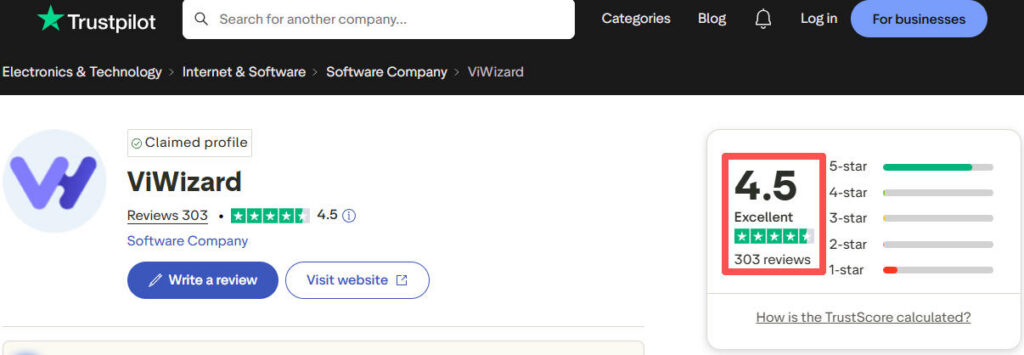
Trustpilot gives ViWizard 4.5 stars from 303 reviews—a respectable score that suggests generally satisfied customers. But the devil is in the details.
Users consistently praise the customer support responsiveness when issues arise, with replies typically within 24-48 hours. The straightforward interface that doesn’t require technical expertise gets mentioned frequently—grandparents and tech novices can use it. ID3 tag preservation works as advertised, eliminating the need for manual metadata editing. Batch conversion saves time for users with large libraries, allowing entire albums to be converted at once.
On the flip side, users report occasional crashes, particularly with large playlists—some lose progress mid-conversion. Frustration mounts when Spotify updates break functionality temporarily, leaving users waiting days or weeks for patches. The 1-minute trial limit makes pre-purchase evaluation difficult—you can’t assess real-world performance. Some registration and activation issues pop up, with license keys not working on first attempt.
Reddit discussions reveal more nuanced perspectives. Users on r/AudioStuff and similar communities note that third-party converters “are not giving you different type of qualities”—the source is Spotify’s stream, not some higher-quality master. This tempers expectations for users who might hope that converting to FLAC produces audiophile-grade files. One user summarized it bluntly: “You’re just recording a Spotify stream. Don’t expect miracles.”
Several long-time users mention that the software has become less reliable over time as Spotify’s anti-automation measures evolve. When Spotify pushes an update, ViWizard may stop working until ViMaker releases a compatible update—sometimes taking days or weeks. Users who relied on the software for DJ sets or offline listening describe this downtime as particularly frustrating, since it’s unpredictable and outside their control.
A recurring theme in negative reviews: users who purchased the lifetime license after the free trial felt they couldn’t properly evaluate the software beforehand. The 1-minute trial shows the interface works, but doesn’t reveal speed, quality, or reliability issues that only appear with full-track conversions.
Limitations and Deal-Breakers
No review is honest without addressing the problems users will actually encounter.
- Spotify Dependency: ViWizard only works with the Spotify desktop app. If Spotify changes how their app works, ViWizard can break. This happened in the past when Spotify updated their API and authentication methods, leaving ViWizard users waiting for patches.
- Large Playlist Crashes: Converting playlists with 800+ tracks risks freezes and crashes. For users with libraries in the thousands of songs, this means manually splitting everything into manageable chunks—a tedious process that undermines the convenience the software promises.
- No Mobile Support: ViWizard is desktop-only. There’s no iOS or Android app, and no web-based version. If your primary device is a phone, this tool isn’t for you.
- License Hardware Locking: The license binds to your computer’s hardware ID. Significant hardware changes or a new computer require license transfer through customer support—no self-service option exists.
- Audiobook Chapter Issues: Some users report that audiobooks don’t split into chapters correctly, resulting in single massive files instead of properly segmented chapters.
- Trial Limitation: The 1-minute conversion limit on the free trial is so restrictive that it effectively prevents meaningful evaluation. You can see that the software launches and converts something, but you can’t assess quality, speed, or reliability with actual full tracks.
Alternatives Worth Considering
ViWizard isn’t the only option for getting Spotify music into MP3 format.
| Feature | ViWizard | Cinch Audio Recorder |
|---|---|---|
| Method | Stream capture (risks Spotify account bans) | Physical soundcard recording (100% safe) |
| Speed | 4.2X (Real-world test) | 1X (Real-time, zero quality loss) |
| Price | $89.95 lifetime | ~$25 lifetime |
| Trial Limit | 1 minute per song (useless for testing) | 9 full songs (proper testing) |
Cinch Audio Recorder Ultimate takes a fundamentally different approach worth serious consideration. Instead of capturing Spotify’s audio stream (which depends on Spotify’s cooperation), Cinch records system audio directly—whatever plays through your computer’s speakers can be recorded.
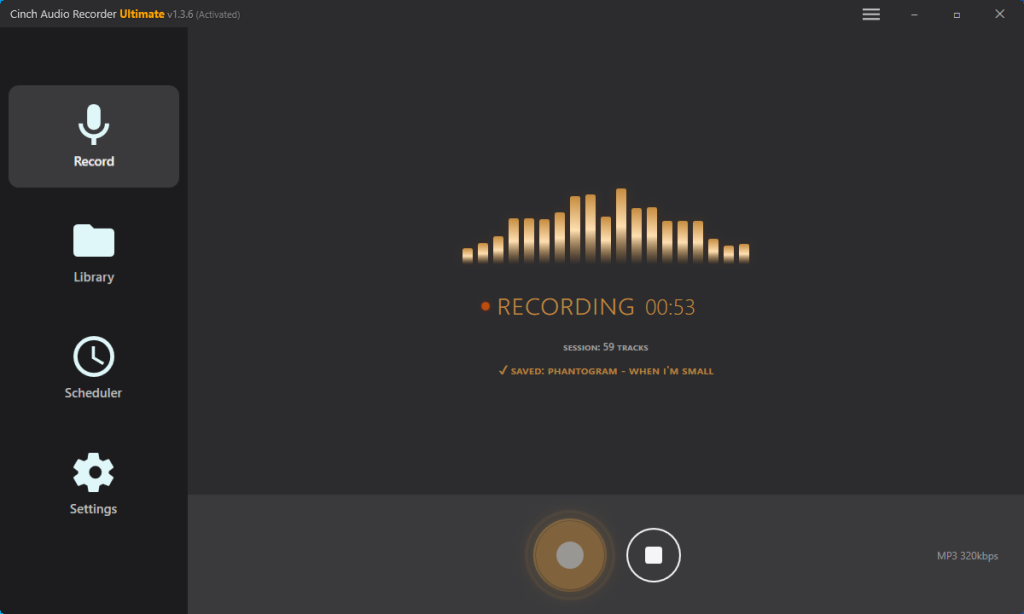
The price difference is significant: around $25 for a lifetime license versus ViWizard’s $90. The recording-based approach captures audio from any source—not just Spotify but YouTube Music, Apple Music, or any streaming service. If your computer can play it, Cinch can record it; no dependency on Spotify app compatibility. Cinch auto-identifies songs through audio fingerprinting, fetching cover art and lyrics automatically. Recording audio played on your own computer is generally considered more legally defensible than stream-capture methods. The trade-off? Recording happens in real-time (1X speed), so it’s slower than ViWizard’s 4X capture.
The recording approach also means Cinch doesn’t require your Spotify login credentials—eliminating a security concern that some stream-capture tools raise. For users wary of entering streaming account passwords into third-party software, this matters.
Cinch offers a trial allowing you to record 9 songs for free before deciding whether to purchase. This gives you a genuine opportunity to test whether it works with your setup—a more generous trial than ViWizard’s 1-minute snippets.
For users prioritizing speed and willing to accept Spotify dependency risks, ViWizard makes sense. For users prioritizing reliability, multi-source flexibility, and a lower price point, Cinch presents a compelling alternative.
Final Verdict
ViWizard Spotify Converter delivers on its core promise: it can turn Spotify tracks into offline files with metadata intact, and it does it faster than real-time. If your main goal is quickly exporting modest-sized playlists and you can live with the fact that the app may occasionally break after a Spotify update, it’s a workable buy. For people converting playlists every week, that roughly 4X speed advantage is still meaningful even if the 15X marketing claim clearly doesn’t hold up.
Where the decision gets harder is with bigger libraries and tighter budgets. Once you move into 800+ track playlists, the crash risk becomes hard to ignore, and the $90 lifetime price starts to feel expensive for a tool you can’t properly test in advance because of the 1-minute trial cap. That’s where Cinch starts to make more sense. It’s slower because it records in real time, but it’s cheaper, easier to trial, and less exposed to Spotify client changes. If you’re building a long-term archive and care more about reliability than raw speed, that trade-off may be worth it.
If you need fast conversions of modest-sized playlists (under 500 tracks) and accept the Spotify dependency risk, ViWizard gets the job done competently. The ID3 tag preservation works well, the interface is intuitive, and customer support responds when issues arise. If you’re archiving large libraries, want multi-source flexibility beyond Spotify, or prefer testing software thoroughly before purchase, alternatives deserve serious consideration.
If leaning toward ViWizard, test a small playlist immediately after purchase while your refund window remains open. Convert a playlist you know well to assess quality and speed on your specific hardware.
Pro tip: Pick a playlist with songs you know intimately—ones where you’d notice if the high frequencies (cymbals, acoustic guitars) sound off. This helps you evaluate the 18kHz rolloff mentioned in testing. If uncertain or if your use case spans multiple streaming services, try Cinch’s 9-song free trial first—you’ll know within minutes whether the recording approach fits your workflow before spending anything.